
INTRODUCTION
A design system that can’t ship is just a style guide.
And a codebase that can’t iterate is just a slow way to disappoint clients.
Agencies live in that tension every week: clients want fast visual iteration (yesterday), but they also expect the end product to be durable, scalable, and consistent across pages, features, and teams.
This is where Webflow + code becomes a strategic workflow—not a compromise.
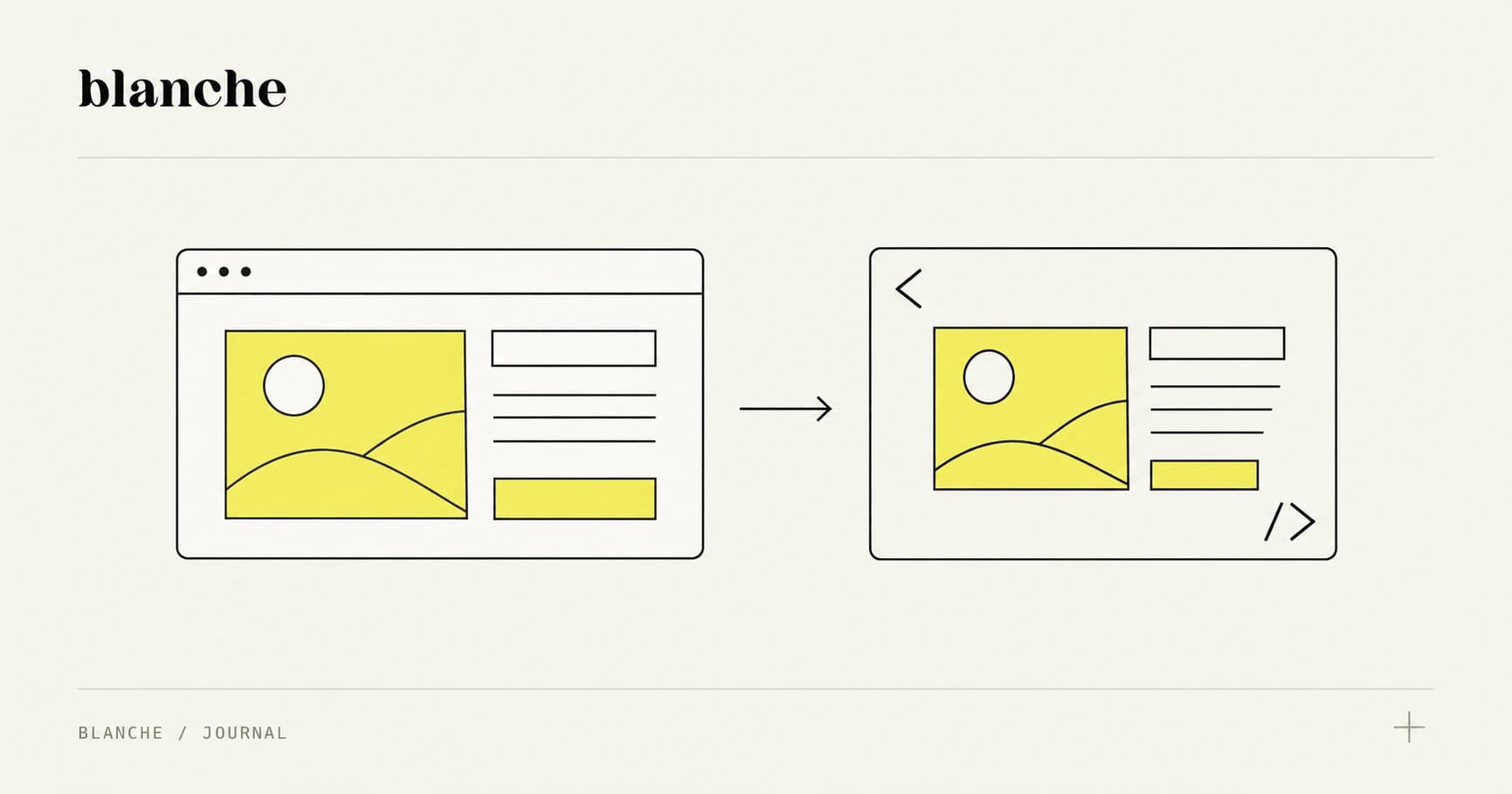
The goal isn’t “Webflow vs. code.” The goal is Webflow for iteration and code for longevity, connected by shared tokens, mapped components, and governance that prevents drift.
Below is a practical, systems-minded playbook you can run as an agency PM, designer, or frontend lead.
The real problem: iteration speed vs. long-term maintainability
Webflow excels at getting to “yes” quickly:
- Rapid layout exploration (grid, spacing, responsive behavior)
- Client-friendly reviews (a URL beats a Figma prototype in many stakeholder rooms)
- Content modeling with CMS collections for real-ish pages
- Visual QA on breakpoints without a local dev setup
But there’s a predictable moment where Webflow starts costing you:
Where Webflow is a superpower
Use Webflow when the work is primarily visual and structural.
- Landing pages and marketing sites where layout iteration is constant
- Early product UI exploration when you need stakeholder alignment
- Content-heavy templates (blog, case studies, docs) where CMS + visuals accelerate delivery
- Brand refreshes where typography/spacing/color need to be felt, not described
Concrete takeaway: Treat Webflow as your high-speed layout lab—a place to validate composition, hierarchy, and responsiveness with real content.
Where code must take over
As soon as you hit real application complexity, you need code for:
-
Complex interactive states
- Multi-step flows, optimistic UI, error boundaries
- Permission-based rendering
- Advanced forms (validation, masking, async submissions)
-
Performance and runtime guarantees
- Bundle splitting, route-level performance budgets
- Image optimization strategies beyond basic responsive images
- Server rendering / server components for faster TTFB and SEO
-
Testing and reliability
- Unit/integration tests (Vitest/Jest, React Testing Library)
- E2E tests (Playwright/Cypress)
- Visual regression (Chromatic, Percy)
-
Maintainability at scale
- Refactoring without breaking unknown pages
- Typed APIs and predictable data flows
- Reusable components with documented props
Concrete takeaway: The handoff from Webflow to code isn’t a “rebuild.” It’s a translation step—and translation only works if you have a shared language.
That shared language is design tokens.
Token-first foundations: type, space, color, and motion
If your Webflow project is built on ad-hoc values (random padding, one-off font sizes, “close enough” hex codes), your codebase will inherit the mess.
A Webflow-to-code workflow succeeds when you commit to token-first design early.
What tokens actually do (in agency terms)
Tokens turn subjective brand decisions into portable, versionable primitives:
- Designers get consistent building blocks
- Developers get stable variables instead of magic numbers
- PMs get fewer “why is this page different?” cycles
- Clients get brand consistency across marketing + product
Tools that commonly fit this workflow:
- Figma Variables (or Tokens Studio) for authoring
- Style Dictionary or Token Transform for exporting
- CSS variables for runtime theming
- Tailwind config (optional) for utility alignment
Tokens aren’t a deliverable. Tokens are the contract between Webflow speed and code durability.
Tokenize typography
Avoid tokenizing “H1 = 48px” as a single value. Tokenize typographic intent:
- Font families:
font.sans,font.serif - Scale steps:
type.size.1…type.size.10(orsm/md/lg) - Line height:
type.leading.tight/normal/relaxed - Weight:
type.weight.regular/medium/bold
Actionable approach:
- Define a type scale (often 1.125 or 1.2 modular scale) with a few “editorial” exceptions.
- Map Webflow classes to tokens (e.g.,
.heading-xluses--type-size-9). - In code, enforce usage via a
Textcomponent or a limited set of utility classes.
Tokenize spacing (and stop the 37px problem)
Spacing is where design drift quietly starts.
A practical spacing system:
- Base unit: 4px or 8px
- Steps:
space.0, 1, 2, 3, 4, 6, 8, 12, 16… - Semantic aliases (optional):
space.sectionY,space.cardPadding
Concrete takeaway: In Webflow, constrain designers to a spacing scale via predefined classes (e.g., .p-4, .gap-6). In code, mirror the same scale as CSS variables or a theme object.
Tokenize color with semantic layers
Don’t ship tokens like blue500 and call it a day. Agencies need both:
- Palette tokens (raw):
color.blue.500 - Semantic tokens (meaning):
color.text.primary,color.bg.surface,color.border.subtle,color.cta.bg
This makes rebrands and theme changes survivable.
Example: If the client changes the primary brand color, you update semantic mappings—not hundreds of component styles.
Tokenize motion (yes, really)
Motion is often the last thing added and the first thing that becomes inconsistent.
Tokenize:
- Duration:
motion.duration.fast/normal/slow - Easing:
motion.easing.standard/emphasized - Transition presets:
motion.transition.fade,motion.transition.slide
Real-world reference: Many teams borrow from Material’s easing curves or use a small set of cubic-bezier presets to keep interactions cohesive.
Concrete takeaway: Motion tokens prevent the “every hover feels different” syndrome—especially when multiple devs touch the UI.
Component mapping: translating Webflow patterns into code
The most common failure mode in Webflow-to-code projects is treating Webflow like a final source of truth for structure.
Instead, treat Webflow as a pattern library prototype.
Step 1: Identify Webflow patterns worth promoting to components
In Webflow, you’ll see repeating structures like:
- Hero sections
- Feature grids
- Testimonials
- Pricing tables
- Navigation + footer variants
- Cards, badges, buttons, form fields
Actionable rule: If a pattern appears 3+ times, it becomes a candidate for a coded component.
Step 2: Define a clean component API (props > class soup)
When translating to React/Vue (or server components), aim for:
- Small, composable primitives (Button, Text, Stack, Container)
- A handful of robust composites (Hero, PricingTable, TestimonialCarousel)
Avoid building a MegaSection component with 27 props just to match every Webflow variation.
Concrete takeaway: Build components around content intent and layout responsibilities, not around Webflow’s DOM nesting.
Step 3: Map Webflow classes to tokens and component variants
A practical mapping looks like this:
- Webflow class:
.button-primary→ Code:<Button variant="primary" /> - Webflow class:
.card--elevated→ Code:<Card elevation="2" /> - Webflow class:
.stack-gap-6→ Code:<Stack gap="6" />(orgap={tokens.space[6]})
Where teams get stuck is trying to preserve pixel-perfect DOM structure. You don’t need to.
You need to preserve:
- Visual output (layout, spacing, typography)
- Interaction behavior (states, focus rings, disabled)
- Content semantics (headings, lists, landmarks)
Step 4: Build stateful components in code (and keep Webflow for layout)
A clean split of responsibilities:
- Webflow owns: page composition, responsive layout exploration, content templates
- Code owns: state machines, validation, async behavior, accessibility, performance
Examples of “code-owned” components:
- Dropdowns/comboboxes (Radix UI, Headless UI)
- Dialogs and drawers
- Complex forms (React Hook Form + Zod)
- Data tables, filtering, pagination
Real-world reference: Many teams pair Radix UI primitives with custom styling tokens to get accessibility and behavior “for free,” while maintaining brand fidelity.
Step 5: Use visual regression to protect fidelity
If the promise is “no loss of fidelity,” prove it.
- Capture baseline screenshots from the Webflow prototype
- In code, implement the same pages/components
- Run visual regression using Chromatic (Storybook) or Percy
Concrete takeaway: Visual regression tests turn subjective “looks off” feedback into objective diffs—and dramatically reduce review cycles.
Docs + governance that clients actually use
Most design system governance fails because it’s written like an internal engineering memo.
Agency governance has a different job:
- Keep multiple contributors aligned (client team + agency team)
- Make decisions visible
- Prevent “just this once” exceptions from becoming the norm
Versioning: treat the system like a product
Adopt semantic versioning for your design system package (even if it’s private):
- MAJOR: breaking changes to tokens/components
- MINOR: new components/variants
- PATCH: bug fixes, small visual tweaks
Publish:
- A changelog with screenshots when visuals change
- Migration notes for breaking changes
Concrete takeaway: Versioning is how you keep client requests from silently fracturing the system.
Documentation: keep it lightweight, searchable, and visual
Docs that work for mixed teams typically include:
- A “Start here” page (what the system is, what it isn’t)
- Token reference (type/space/color/motion)
- Component pages with:
- Usage guidance
- Do/don’t examples
- Accessibility notes
- Props/variants
Tools that fit:
- Storybook for component docs
- Zeroheight or Notion for narrative guidelines
- MDX for hybrid docs (code + writing)
If docs require a meeting to understand, they won’t survive the second sprint.
Handoff rituals: prevent design drift with process, not policing
A simple set of rituals that work in agency-client environments:
-
Weekly UI integrity review (30 minutes)
- Compare shipped UI to tokens/components
- Identify new patterns that should become components
-
Design-system PR template
- What changed?
- Why?
- Screenshots before/after
- Token impact
-
“Exception budget” policy
- Allow a small number of one-offs per release
- Require a follow-up task to fold the exception into the system (or remove it)
Concrete takeaway: Governance is a cadence. If you only do it at launch, you’re not governing—you’re documenting a moment in time.
A repeatable agency playbook (Webflow → tokens → components → governance)
Here’s a workflow you can operationalize across clients.
Phase 1: Prototype fast in Webflow (1–2 weeks)
Deliverables:
- High-confidence page layouts
- Responsive behavior validated with real content
- A preliminary class naming convention aligned to future components
Rules:
- No arbitrary values: spacing/type/color must map to a draft token scale
- Reuse classes aggressively to reveal patterns
Phase 2: Extract tokens (2–5 days)
Deliverables:
- Token set for type/space/color/motion
- Export pipeline (JSON) feeding CSS variables and/or a theme object
Rules:
- Prefer semantic tokens for UI usage
- Treat palette tokens as implementation details
Phase 3: Build the component library (2–4 weeks, parallelizable)
Deliverables:
- Primitives (Button, Text, Stack, Container, Icon)
- Key composites mapped from Webflow patterns
- Storybook docs + visual regression
Rules:
- Component APIs should be stable and minimal
- Build stateful components in code; don’t fight Webflow for behavior
Phase 4: Assemble production pages (ongoing)
Deliverables:
- Marketing pages and/or app UI built from components
- Performance budgets and accessibility checks
Rules:
- Don’t copy Webflow DOM; recreate outcomes using system primitives
- Use regression tests to lock in fidelity
Phase 5: Governance and client enablement (ongoing)
Deliverables:
- Versioned releases
- Changelog
- Lightweight docs
- Recurring review rituals
Rules:
- Make it easy for the client team to do the right thing
- Make drift visible early
Conclusion: ship faster now, stay consistent later
The agencies that win long-term aren’t the ones who pick a single tool—they’re the ones who build a workflow that respects how clients actually operate.
Webflow gives you speed and stakeholder alignment. Code gives you reliability, performance, and scalable complexity. Tokens and component mapping are the bridge that keeps fidelity intact—and governance is what keeps it intact six months later.
Call to action
If you want to operationalize this in your agency, start with one change this week: define a token scale and enforce it inside Webflow. Once your prototype speaks in tokens, the translation to code stops being a rewrite and becomes a repeatable system.
If you’re building a Webflow-to-code pipeline and want a second set of eyes, we can help you:
- audit your Webflow build for token readiness,
- design a component mapping strategy,
- and set up docs + governance your client team will actually follow.